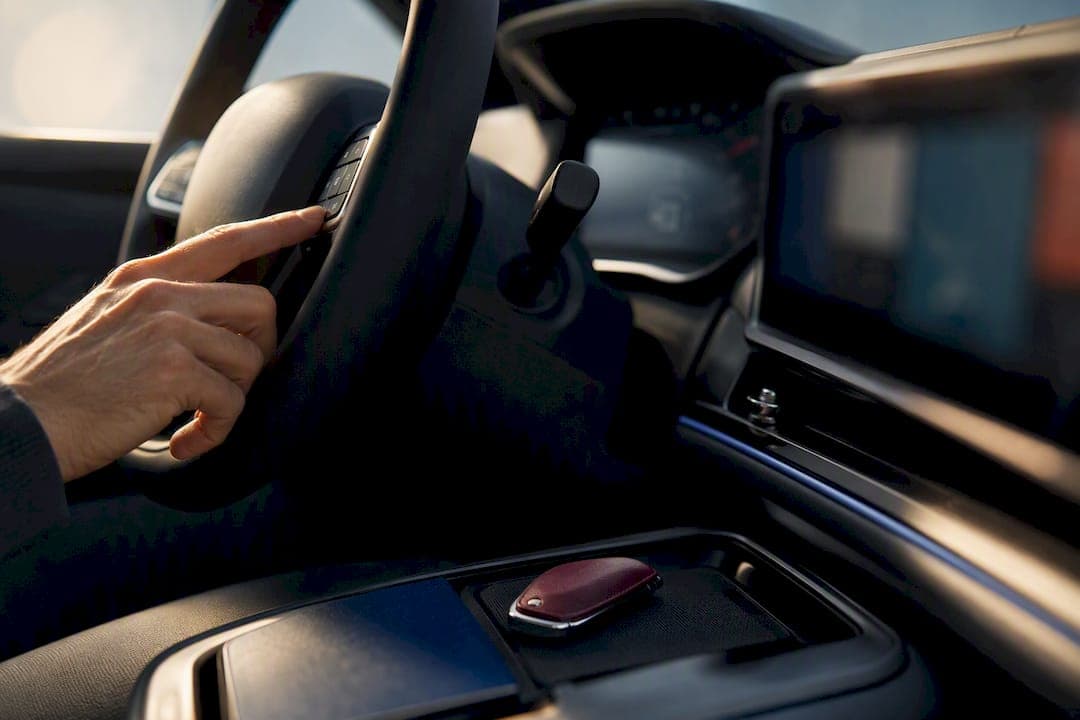
If you want effortless voice control and a cabin that quietly learns your habits, Mercedes-Benz MBUX is the stronger fit. If you'd rather keep a physical dial under your hand and configure every setting yourself, BMW iDrive still wins. Both systems have split into multiple generations, so the real decision often comes down to which specific version sits in the car you're about to buy.
TL;DR:
- MBUX offers a predictive, voice-driven interface with seamless profile transfer, ideal for drivers seeking effortless, personalized interaction.
- iDrive provides tactile control with a physical rotary dial in OS 8.5, favoring users who prefer precise adjustments and deep customization.
- The latest BMW OS 9 emphasizes touch-based operation and app-like flexibility, but often removes the rotary controller in newer trims, affecting in-motion usability.
- Voice assistants in both systems can recognize voices and handle natural language, but MBUX's "Hey Mercedes" tends to be more conversation-oriented and context-aware.
- Confirm the exact software version and control layout before purchasing, especially on used vehicles, as differences impact control and feature accessibility.
Table of Contents
- MBUX vs iDrive: A Quick Technical Overview
- Touch, Dial, or Voice? Comparing the Control Methods
- Which Voice Assistant Actually Understands You?
- Smartphone Pairing, Streaming, and Passenger Controls
- Navigation and Driver-Assistance Information
- Software Versions and How Long Your System Will Feel Current
- Everyday Ownership: Pros, Cons, and a Test-Drive Checklist
- So, Which One Should You Actually Buy?
- What Buyers at Auto Vendors Inc Actually Ask For
- Let Auto Vendors Inc Confirm the Cabin Tech Before You Buy
- Sources
- FAQ
MBUX vs iDrive: A Quick Technical Overview
Mercedes-Benz built MBUX around a "zero-layer" philosophy: instead of digging through menus, the system predicts what you need and surfaces it on the home screen. The flagship version of this idea is the MBUX Hyperscreen, a curved glass panel spanning the dashboard with a dedicated passenger display.
BMW took a different path, and it now runs two distinct operating systems depending on the model year and trim. Here's the split that actually matters when you're comparing cars:
- iDrive OS 8.5: Linux-based, usually paired with a rotary controller and larger curved displays.
- iDrive OS 9: Android-based (sometimes called Operating System X in BMW's own materials), touchscreen-first, and more app-store-like.
- MBUX (current generations): touch-first with optional Hyperscreen, voice-driven, and cloud-synced across vehicles.
That version gap changes what your car can actually do, not just how it looks.
Touch, Dial, or Voice? Comparing the Control Methods
The core difference between these two systems isn't cosmetic. It's philosophical, and it shows up the moment you sit in the driver's seat.
- **MBUX leans on prediction. The zero-layer home screen pulls up navigation, media, or climate shortcuts based on time of day, location, and habit, cutting down on how many taps you need for routine tasks.
- iDrive 8.5 keeps a rotary controller. That physical dial lets you make adjustments by feel, without looking away from the road, which matters more than it sounds during highway driving.
- iDrive 9 drops the controller in many trims. It shifts almost entirely to touch, which works well when parked but demands more visual attention in motion.
- Learnability favors iDrive; immediate usability favors MBUX. New MBUX owners tend to feel comfortable within days, since the system is guessing their intent for them. iDrive rewards owners who take time to memorize menu structures and customize the tile layout, and once they do, the controller-equipped versions can be faster for repeat tasks.
Buyers who value getting in and going should lean MBUX. Buyers who like tuning every setting to their preference, and who don't mind a learning curve, tend to prefer iDrive with the controller intact.
Which Voice Assistant Actually Understands You?
Mercedes' "Hey Mercedes" assistant is built for conversation, not commands. It recognizes individual voices to load personal profiles, handles natural phrasing rather than rigid syntax, and in some cases responds to context without needing the wake phrase at all, according to Mercedes-Benz's own technical documentation.
BMW's assistant behavior varies more by OS version. Cars running iDrive 8.5 offer a capable but more command-driven assistant, while OS 9 pushes toward broader app integration and more flexible queries, following BMW's general shift toward Android-based architecture.
A few things worth knowing before you rely on either:
- Voice profile recognition in MBUX can unlock personalized settings just by hearing you speak.
- Wake-word fatigue is real. Both systems occasionally misfire on ambient conversation.
- Third-party voice tools, like the demos on Mydreamgirlfriend, show how far natural-language interaction has come outside the automotive world, which raises the bar for what drivers now expect from their cars.
Pro Tip: Spend your first week training the voice assistant on short, direct phrases rather than long sentences. Both MBUX and iDrive respond faster once they've logged a consistent pattern from your voice, and you'll cut down on accidental activations from radio dialogue or passenger conversation.
Smartphone Pairing, Streaming, and Passenger Controls
Both brands support wireless Apple CarPlay and Android Auto across current lineups, so the baseline phone experience is close to identical. Where they diverge is in what happens once you're not using your phone as the interface.
- MBUX stores personal profiles in Mercedes me, allowing up to seven driver profiles and roughly 800 individual parameters, so ambient lighting, seat position, and media preferences follow you into a different Mercedes entirely.
- iDrive profiles sync through BMW's connected services, though the depth of portability depends on whether the car runs OS 8.5 or OS 9.
- Passenger displays on Hyperscreen-equipped Mercedes models allow separate content, though playback of video while the car is moving may be restricted depending on local regulations.
- Rear-seat media controls are more consistently available on higher trims of both brands, but they're tied to option packages rather than standard equipment.
If you rotate between multiple vehicles in the same household, MBUX's cloud-profile portability is the more noticeable convenience day to day.
Navigation and Driver-Assistance Information
Route guidance is where both systems show their engineering priorities. MBUX overlays augmented-reality video onto live road footage for turn-by-turn cues, which helps in dense urban intersections where a flat map arrow can be ambiguous. BMW's approach relies more heavily on head-up display integration, projecting directional cues and driver-assistance status directly into the driver's line of sight.
Neither approach is objectively better. It depends on how you drive.
- If you spend most of your time on unfamiliar city streets, MBUX's augmented video guidance tends to reduce hesitation at complex intersections.
- If you do a lot of highway merging, a bright, well-placed HUD (common on BMW's controller-equipped trims) can keep your eyes higher and more forward-facing.
- On a test drive, check HUD brightness in direct sunlight, not just in the showroom.
- Confirm that map legibility holds up at a glance. Zoom levels and font size vary more between trims than buyers expect.
Software Versions and How Long Your System Will Feel Current
This is where a lot of buyers get surprised after the fact. BMW's iDrive OS 8.5 versus OS 9 split means two cars from the same model year can offer genuinely different ownership experiences, and the controller you assumed was standard might not be present on the newer system.
- Confirm whether a used BMW runs OS 8.5 or OS 9. They are not interchangeable through a simple update.
- BMW's Android-based systems support app-store-style features, but some functions sit behind Digital Premium subscriptions rather than being included outright.
- Mercedes offers "Digital Extras" as paid add-ons for certain features, so MBUX isn't fully free of subscription gating either.
- Ask whether the previous owner's subscriptions transfer, or if you'll need to re-purchase access to features the car already has installed.
- Both brands push over-the-air updates, but the frequency and scope depend heavily on model year and hardware generation.
The tradeoff, in plain terms: iDrive 8.5 favors redundancy and physical control, while OS 9 favors flexibility and app-based growth. Neither is a straight upgrade over the other. They're different bets on how you'll want to interact with your car in five years.
Everyday Ownership: Pros, Cons, and a Test-Drive Checklist
Hands-on comparisons, including one from AutoWeek's test of both systems, consistently find MBUX's menu structure clearer for first-time users, while some reviewers describe iDrive's denser tile layout as cluttered until it's been learned.
- MBUX pros: predictive suggestions, strong voice recognition, cloud-portable profiles. Cons: some owners find the AI suggestions occasionally miss the mark, and Hyperscreen adds cost.
- iDrive pros: physical controller redundancy on OS 8.5, deep customization once learned. Cons: OS 9's touch-first approach can raise in-motion workload for drivers used to a dial.
- Commuters who value low mental load tend to prefer MBUX's zero-layer setup.
- Tech-forward families often like iDrive OS 9's app-based flexibility, provided they're comfortable with a learning curve.
- Driver-focused enthusiasts who adjust settings constantly on the move usually want iDrive 8.5's rotary controller specifically.
Before you sign anything, run this quick checklist on the test drive: confirm the exact OS version, test voice commands with background noise on, adjust climate and audio without looking down, check HUD visibility in sunlight, and ask which features require an active subscription.
So, Which One Should You Actually Buy?
MBUX suits buyers who want a cabin that adapts to them with minimal setup, especially if voice control and cross-vehicle profile portability matter. iDrive suits buyers who want tactile, precise control and don't mind investing time to master a denser menu system.
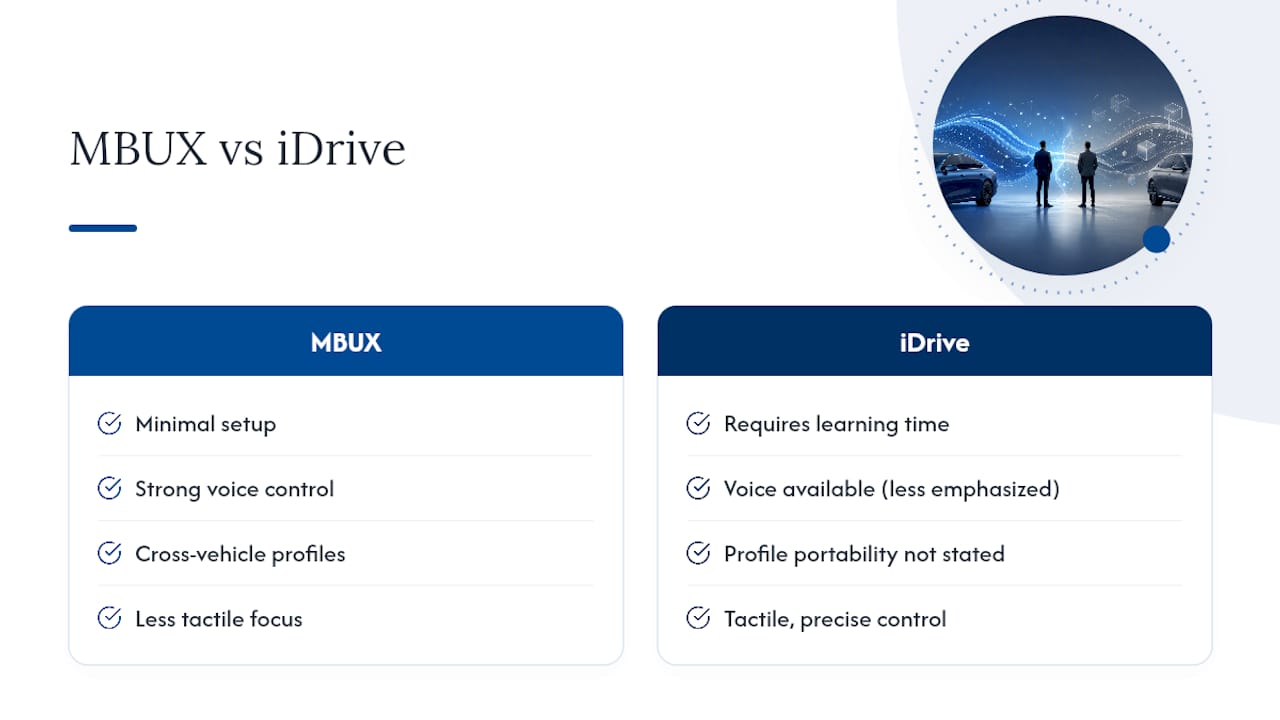
If you're leaning Mercedes, prioritize trims with Hyperscreen or at least the full MBUX voice suite. If you're leaning BMW, confirm the trim keeps the rotary controller if in-motion adjustments matter to you, since OS 9 phases it out in several models. Shopping used? Verify the exact software version installed and whether any subscription-based features were active under the previous owner, since some functions can be locked without them.
What Buyers at Auto Vendors Inc Actually Ask For
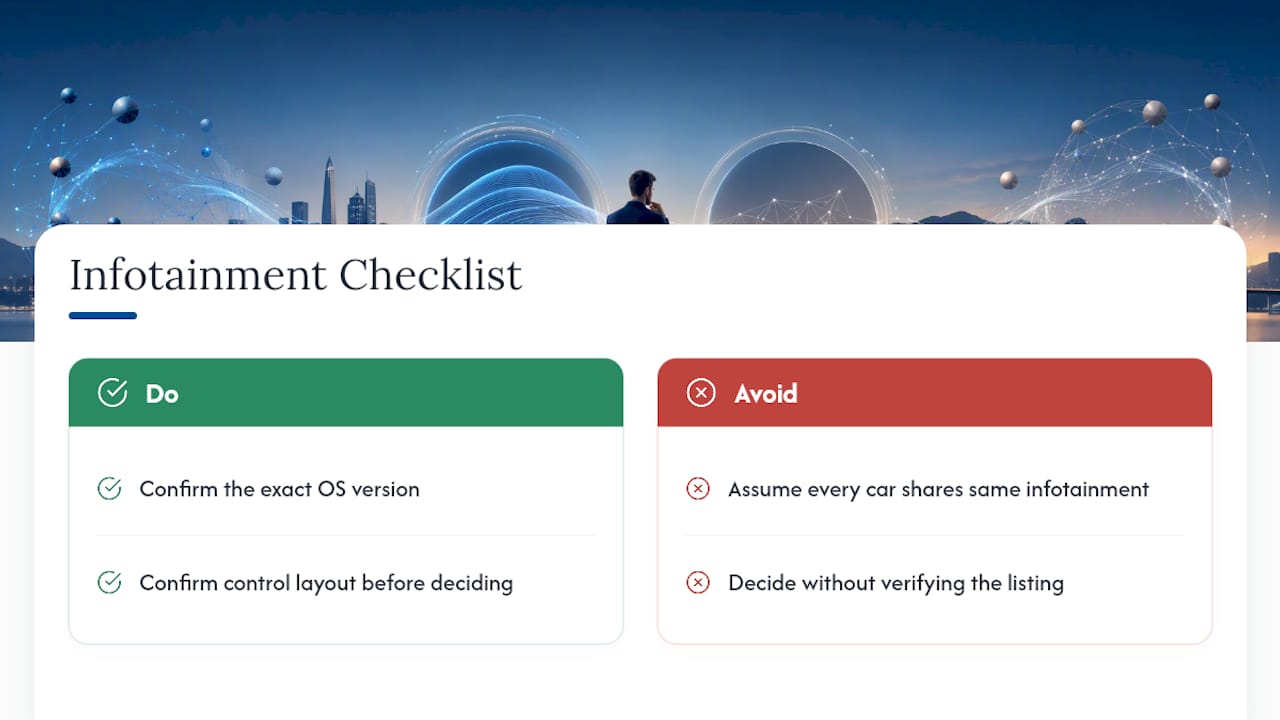
Working with buyers across luxury purchases, one pattern is clear: people often assume every car from a brand shares the same infotainment experience, which is not always the case.
During searches, buyers are encouraged to confirm the exact OS version and control layout before deciding on a listing to help avoid disappointment at delivery.
— Allen
Let Auto Vendors Inc Confirm the Cabin Tech Before You Buy
Comparing spec sheets online only gets you so far. Auto Vendors Inc specializes in sourcing premium and luxury vehicles, and our Car Finder service exists specifically to track down the exact configuration you want, including confirming the OS version, controller presence, and voice-assistant features before you ever schedule a test drive.
If MBUX's Hyperscreen and voice-first cabin sound like your match, browse our current Mercedes-Benz S-Class inventory to see what's available in Fort Lauderdale right now. Prefer BMW's tactile controls? Our team can flag which trims still include the rotary dial before you make the trip in. Either way, our full inventory is worth a look, and we're happy to confirm any in-cabin feature over the phone before you set foot on the lot. Reach out through the Car Finder page and tell us exactly what you're after.
Sources
- MBUX interior assistant — Mercedes‑Benz group
- BMW iDrive 7 vs 8 vs 9 — BMWBLOG
- BMW technology package and OS split — Cherish Your Car
FAQ
Is BMW Getting Rid of iDrive?
No, BMW isn't eliminating iDrive as a brand name. The system continues under that name, but the underlying software has shifted toward Android-based architecture with OS 9, which changes the control layout and, in many trims, removes the rotary controller.
Is Mercedes Higher End Than BMW?
Mercedes and BMW both compete in the luxury segment, and neither brand is universally "higher end." Positioning varies by model line, trim, and equipment, which is exactly why comparing specific configurations, including infotainment hardware, matters more than comparing brands in the abstract.
Should I Use BMW iDrive or Apple CarPlay?
Both current iDrive OS 8.5 and OS 9 support wireless Apple CarPlay, so it isn't an either/or choice. Many owners use CarPlay for phone-based navigation and messaging while relying on native iDrive for climate control and vehicle settings.
Which Cars Have the MBUX System?
MBUX appears across current Mercedes-Benz models, from compact sedans up through the flagship S-Class, with the Hyperscreen option available on select higher trims like the EQS and S-Class lineups. Feature availability and screen configuration vary by model year and trim level, so confirming the exact setup on a specific car is worth doing before you buy.